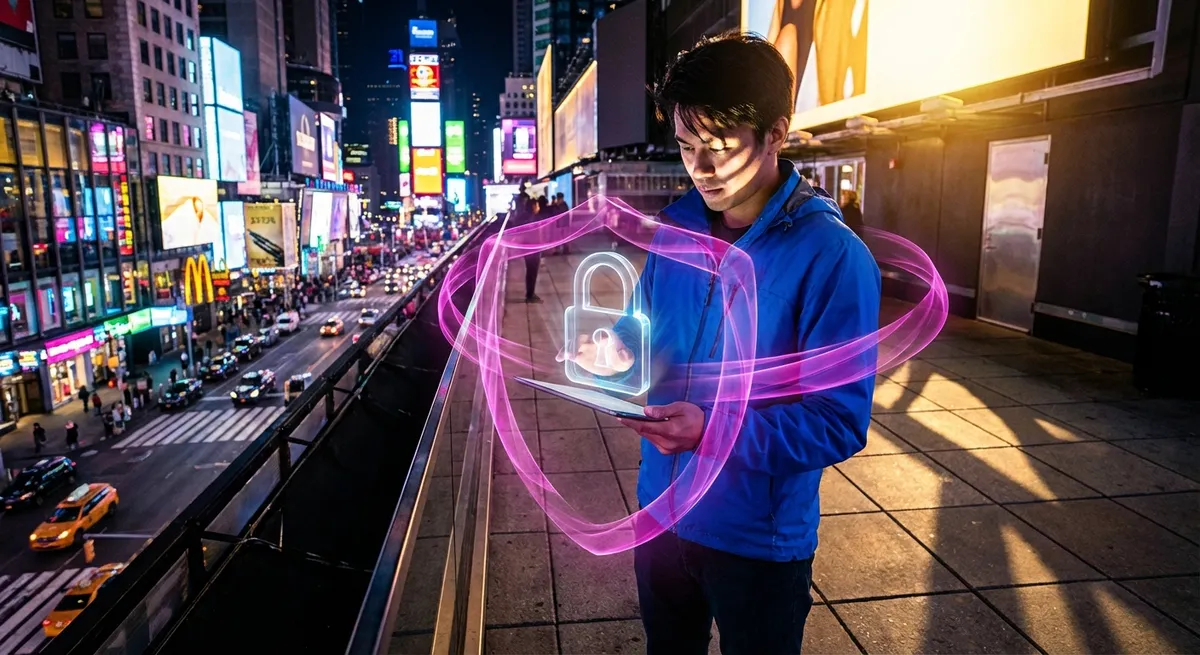
Your website is the main character of your brand. It’s where strangers become fans, browsers become buyers, and random clicks turn into real money. But every good main character has a villain, and online, that villain is anything that can break, hijack, or leak your site.
If your security strategy is still “I’ll deal with it if something happens,” you’re basically walking around with your password on a sticky note. Let’s flip that. This isn’t a boring security checklist—this is your website’s glow-up into “untouchable but make it aesthetic.”
Below are 5 security moves that are trending for a reason: they protect your revenue, your reputation, and your sanity—and they’re actually shareable.
1. Turn Your Login Page Into a VIP Door, Not a Public Entrance
If your login page is just sitting at /wp-admin or /login with a basic email + password combo, you’re basically hosting an open mic night for hackers.
Modern, share-worthy move: treat login like a VIP entrance.
- Enable multi-factor authentication (MFA): That one extra step (like an app code or hardware key) turns a leaked password from “game over” to “nice try.”
- Limit login attempts: After a few wrong guesses, block or slow down the user. Brute-force bots hate rate limits.
- Hide or change your login URL (where possible): Obscurity isn’t full security, but it stops casual scripts from knocking nonstop.
- Use password managers, not brainpower: Your memory is for brand ideas, not 40 unique 24-character passwords.
This trend is simple: logins should feel like a club door with a list, not a revolving door at a mall. The more friction you add for attackers (not real users), the safer your “main character” becomes.
2. Make HTTPS Your Default Fit, Not an Optional Accessory
If your site is still showing “Not Secure” in the browser bar, that’s not just a tech issue—that’s a trust issue. Shoppers see that and ghost immediately.
HTTPS isn’t a nice-to-have—it's your baseline outfit:
- Encrypt everything: SSL/TLS keeps login details, payment info, and personal data from being read in transit.
- Use HSTS (HTTP Strict Transport Security): This forces browsers to always connect via HTTPS and blocks tricky downgrade attacks.
- Keep certificates on auto-renew: Expired certs make your site look abandoned, even if you just “forgot.”
- Protect all pages, not just checkout: Attackers don’t care if it’s a login, profile, or contact form—unencrypted is unprotected.
Modern users expect that little lock icon the way they expect your site to work on mobile. No lock? That’s a red flag screenshot waiting to go viral—just not in the way you want.
3. Treat Third-Party Tools Like Collabs, Not Freebies
Every plugin, theme, script, or integration is like adding a collaborator to your brand. If you don’t know what they’re doing behind the scenes, you’re trusting strangers with your house keys.
The new security flex is curated tech stacks:
- Audit your plugins and integrations regularly: If you installed it “just to test it” six months ago and forgot? It needs to go.
- Stick with well-maintained tools: Look for active updates, recent releases, and a real support or GitHub presence.
- Trim unused features: If a tool ships with 20 features and you use one, disable or remove the extras that expand your attack surface.
- Be picky with embedded scripts (analytics, chat widgets, ad tags): One compromised script can impact thousands of sites at once.
Security isn’t about having zero tools; it’s about having tools that earn their spot. Think of it like your homepage hero image: everything on screen should be intentional, not accidental.
4. Backups Are Your Time Machine, Not Just a Checkbox
The most underrated power move in web security? Reliable, tested backups. Not “I think my host might have one” backups. Not “I downloaded a zip six months ago” backups. Real, automated, versioned backups.
When something goes wrong—attack, bug, or “I deleted the wrong thing at 2 AM”—backups turn disaster into “rewind.”
Here’s how to do it like you mean it:
- Automate daily backups at minimum for active sites; more often if you handle lots of orders or user activity.
- Store backups off-server: A backup that lives on the same server as your site can vanish in the same incident.
- Test restores occasionally: If you’ve never done a test restore, you don’t actually know you’re safe.
- Keep multiple recovery points: Sometimes you don’t catch an issue immediately; rolling back a week or two can save you.
When brands post “We’re back, fully restored, no data lost,” that’s not luck—that’s backup discipline. Quiet, unsexy, and absolutely elite.
5. Turn Monitoring Into a Habit, Not a Panic Button
Most website owners only look at security tools after something goes wrong. That’s like only checking your smoke alarm once the house smells like toast.
The trend now is proactive watching, not reactive scrambling:
- Use uptime monitoring: If your site goes down or slows to a crawl, you get alerted before your customers do.
- Add basic security monitoring: Look for file changes, unexpected admin accounts, or unusual traffic spikes.
- Review access logs periodically: You don’t have to be a security engineer—just look for weird patterns (tons of login attempts, odd countries, strange paths).
- Create a mini “incident plan”: If something goes wrong, who do you contact? What do you check first? Where are your backups?
This turns security from random chaos into a manageable rhythm. You’re not trying to be a cybersecurity analyst—you’re just making sure your main character (your site) gets regular health checks instead of dramatic emergency room visits.
Conclusion
Your website doesn’t need to feel like a fragile glass shop on the internet’s worst street. With a few intentional moves—VIP-style logins, full-time HTTPS, curated third-party tools, grown-up backups, and always-on monitoring—you shift from “I hope nothing breaks” to “We’re built for whatever.”
None of this is about paranoia. It’s about confidence. When your site is locked in, you can focus on the fun stuff: brand, content, launches, and growth—knowing that the plot twists are handled.
Share this with the friend who still uses the same password for everything. You know exactly who they are.
Sources
- Cybersecurity and Infrastructure Security Agency (CISA) – Website Security Basics - Official U.S. government guidance on securing browsers and web use, including HTTPS and safe configurations
- National Institute of Standards and Technology (NIST) – Digital Identity Guidelines - Best practices for authentication, including multifactor authentication and password handling
- Google Search Central – Secure Your Site with HTTPS - Google’s official guide to HTTPS, certificates, and why encryption matters for users and SEO
- Mozilla – Web Security Guidelines - Technical recommendations for securing web applications, including HSTS, content security, and server configuration
- Krebs on Security – The Value of Backups - Real-world stories and analysis showing how reliable backups and basic hygiene protect sites from attacks
Key Takeaway
The most important thing to remember from this article is that this information can change how you think about Security Guide.



